
How to install Projeto Grau 2 on Android (step by step)
A complete tutorial to install the Projeto Grau 2 APK on Android: requirements, the unknown sources permission, first launch and the most common errors.
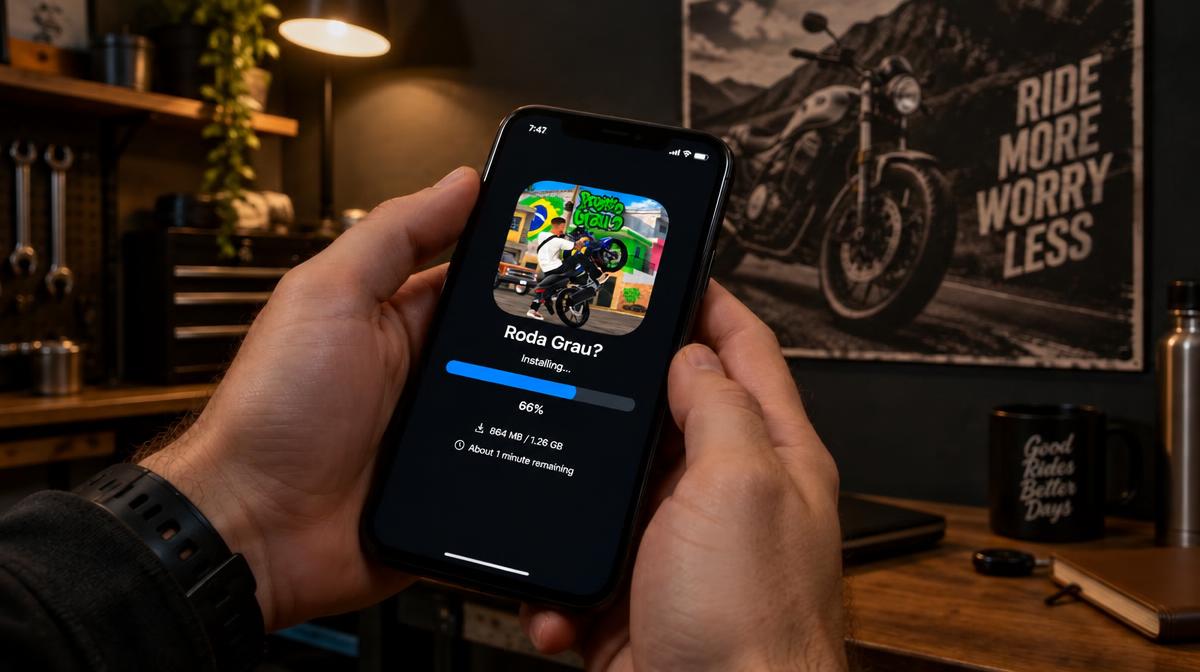
Installing Projeto Grau 2 from an APK is simple, but three details decide whether it works: free storage, the installation permission and the file signature. This guide covers the whole path, from download to your first wheelie.
The game is not only as heavy as the APK size suggests: on first launch it downloads map files, vehicles and textures. That is why the most ignored step is also the one that causes the most errors — leaving plenty of free space before you start.
What you need before you start
- An Android 7.1 (Nougat) phone or newer.
- At least 3 GB of free storage, even though the APK is around 694.3 MB.
- A stable Wi-Fi connection for the download and the first game load.
- The ability to install apps from unknown sources enabled for your browser or file manager.
Step 1: download the APK
Open the download page and tap the main button. The file is saved in your device's downloads folder. If the browser warns that the file may be dangerous, that warning is standard for any APK — check the package name before continuing.
Step 2: allow the installation
- 1Open the downloaded file from the file manager or the download notification.
- 2When Android asks for permission, tap Settings.
- 3Turn on Allow from this source only for the app opening the file.
- 4Go back and tap Install.
Safety tip
Do not allow installation for every app on your phone. Allow it only for the browser or file manager you are using now and turn it off after installing.
Step 3: first launch
When you open the game for the first time it downloads the remaining files. This can take 5 to 15 minutes depending on your connection. Keep the app open and the phone charging to avoid interruptions.
Step 4: confirm the file is the original
In the app info, the package name must be com.InsanityGroup.ProjetoGrau2. If you see another name, the file is not Projeto Grau 2. For a full check, compare the signing certificate with the version installed from Google Play.
Common installation errors
App not installed
- An older version with a different signature exists: uninstall it and install again.
- Not enough free space: clear at least 3 GB and try again.
- The file was downloaded incomplete: delete it and download again on stable Wi-Fi.
Installation blocked by Play Protect
Play Protect may block installation of files from outside the store. You can temporarily turn verification off, install, and enable it again right after. If the file came from a source you do not know, the block is a good reason not to insist.
Is updating over the top worth it?
To keep your garage and progress, install the new version over the old one without uninstalling, as long as the signature is the same. Before switching files, link your account in the game so you are not relying only on local storage.
Already have the APK installed?
If you have not downloaded it yet, grab version 2.1.0.10 (≈ 694.3 MB) and follow the tutorial.
Questions about this topic
Short answers to the questions that show up in comments and game forums.
Keep reading
See all articles
How to make money fast in Projeto Grau 2
Which jobs pay best, how to pick the right deliveries and the order to invest in your bike so your in-game profit grows.
Read article
Projeto Grau 2: frequently asked questions answered
Free to play? Does it need internet? What Android version? The most common questions about the game, the APK and online mode, answered.
Read article
Gameplay and stunt riding tips for beginners
How to control the bike, hold a wheelie, stay upright in traffic and progress fast in your first hours of Projeto Grau 2.
Read article